Mixing in key or chord

Keys or chords just know what they are

Every song you will come across plays on a certain chord or key. Thankfully most DJ software analyzes the MP3’s or WAV’s in your library, and gives you this information depending on your preferences. Most DJ’s and producers will keep a picture of chord or key wheels to inform themselves on what goes together. So how does it actually work?

The chord wheel like the one on the right work by telling you clearly with colors what chord letters go together. As a general rule of thumb, you don’t want to play songs that have chords on the opposite end of the spectrum. Although you can get away with playing songs that don’t match in color but are close enough such as a C major or G major. Keep in mind that matching chords or keys is more noticeable when singing lyrics occurs rather than rapping lyrics. It is also possible to mix without matching keys, but knowing this helps your mixes stand out from others, where their music might be clashing rather than meshing.

It’s okay if they don’t match

If your trying to key or chord match and your songs don’t mix well, it is still possible to still match them. Most of the controllers or mixing softwares used these days come with pitch/key modulators. These come in the form of a plus or minus section close to the jog wheel.

Here a song being played can be pitched up or down and the corresponding key or chord will show. So if you wanted to change an E major to an F, or a B minor to a C minor, its possible and the songs can match up. Just remember that songs being modulated more than once might sound to low or to high in their pitch. This might sound strange, especially if the song is well recognized and the audience wants to sing along.

Do you have to mix in key?

Since there are many different types of DJ’s, there are many opinions regarding whether one should match chords or keys. Hiphop DJ’s for example can get away with mixing between clashing keys because rapping vocals are less harmonic and they can scratch in other tracks, while EDM DJ’s can just mix in using the outro/intro drum loops before the harmonics/bass lines as most EDM songs contains them. The key (no pun intended) thing to know is that it should be used to maximize the way your mixes sound, and not hinder you from playing songs you know will hype up the crowd. It’s to be used as a tool in your arsenal of tricks to keep the crowd going.  

2-Track Mixing

Everybody starts with two

Every DJ’s starts with the common 2 channel or track mixing. This means you have one channel on your left playing one track and the second one one doing the same. The crossfader let’s the audience hear what you want, while in your headphones you cue the next track you want to play. The crossfader usually labels it A to B or 1 to 2. It’s easy enough and lets you experiment easily. The challenge comes when adding more channels which more advanced DJ’s use.

Now the real fun begins!

In order to make the mixing sound smooth though it’s important to remember that your BPM’s are the same by using the jog wheel to line up the beat markers. You can also use the sync button on your controller or your software sync, but watch out that it locks every song into syncing. Sometimes that can cause unwanted tempo changes.

Song format and genres

This helps in making sure the rhythm of the mix stays consistent. It can also help you when you mix without a setlist, and you are reading crowds at events. DJ’s usually call this live mixing or free-styling. Here are some things to keep in mind:

  • Most professionally made music consists of an intro, (chorus, and verse x2 or x3), outro structure.
  • Songs contain 4 beat bars which are grouped into either 4 or 8 beat phrases. This means a intro, chorus or verse is usually 16 or 32 bars. Knowing this can help you position cues for builds and transitions to other drops.
  • Most mainstream music can range from about 3-5 minute stretches so watch out that it runs to zero.

Observe and experiment

Keep in mind that a lot can be done with 2-track mixing and the possibilities are almost endless with song selection, effects, samplers, and other techniques. Start with the basics and then experiment. Once you feel comfortable add your own flare and start to build up skills like scratching and live mixing. The video below can begin to show you what 2-track mixing can achieve.

This shows you how 2 track mixing looks when done live. He is advanced but it shows you the skills you can learn, and the beauty of knowing your equipment. Keep in mind he always has the same BPM when transitioning to another song until the end when he goes up to 110 BPM.

Make sure your BPMs are the same before transitioning

Start your library and make playlists!

Where to start getting music?

Once you have your software and a controller, you need to start getting music into your HD’s (Hard Drives), laptop, or USBs. Where you get your music can wildly vary for different people. Some subscribe to DJ record pools that may require monthly payments, or use the iTunes or Google online music stores.

Start making playlists as soon as possible!

Other savvy individuals may use different methods of  acquiring free music. A popular method for those who want to speed this process is in befriending another established DJ and asking if you could copy their library music. This requires the use of HD’s though, as you could be looking 10,000 plus songs requiring a lot of space.

Playlists, playlists……playlists

Once your library starts to build up begin sending the music into playlists. Listening to all the music you have and sending them into these lists individually is fine, but use the software options (such as filtering by bitrates, BPM, chord/key) to speed up this process dramatically.

Image result for dj software playlist
An organized library is key to being a great DJ.

Depending on the type of DJ your are, the way you organize your music can differ as well. A regular club DJ will have lists for different top genres with sub lists showing remixes, and separate lists of the same genres with old school classics and top 40 (new popular music) in each. There is no one perfect way to organize your music and playlists but here are some ways DJ’s do it.

  • Separate their music by it’s bitrate first. The most common format for music which is MP3, can come in low bitrates (128 or lower) which makes your music sound less clear, and the frequencies off. Your best quality sounding tracks should ideally be at 320 bitrate. 
  • Organize their music is by genre, but make sure their playlists in each include sublists that identify the new releases, old classics, and whether or not it’s an original mix or remix (very important in EDM mixing).
  • Use coloring, labeling, commenting options to identify if the song is high, mid, or low energy. Even within the same genre songs can have different reactions from the crowd. They also add effects used in the labels or comments to remind themselves how they mix in or out.
  • Separate lists should be made to separate your sampler MP3’s such as short vocals, effect noises, BPM transition songs, and DJ plugs.

Prepare function and auto-mix playlist

The prepare function that your softwares provides helps you to cue up a list of selected songs that once played will go away from the list. This allows you to make short lists of songs that won’t be separate playlists that bog you down in an already growing list of playlists. The auto-mix playlist is like any playlist in your software except that it will depending on your settings mix the music passively top to bottom. This feature though cannot replace real mixing and should ideally be used for breaks or sparingly.

Bottom half of picture shows playlist which is organized for 120 BPM.

Which Software?

Everybody thinks theirs is the best

So now that we have gone through your equipment, we must talk about software. These days you will hear people tell you that they prefer Serato over Traktor, or Traktor over Rekord Box, but you must remember that ultimately it’s what you feel most confident with using

It may seem complicated at first, but their is a method to the madness

Most will stick with their first software they use, yet it’s important to know the differences in them as well. Being knowledgable in more than one could give you an advantage, especially when you might use them in any event. There is no ultimate or perfect one but all come close these days.

They all work the same

There may be a lot of choices but all work essentially the same. So what they all have in common?

  • First and foremost you will always see a visual of two decks with the waveforms of the songs being played in the middle or top. 
  • The waveforms will always have some type of marker indicating 4 beats and 16 beats, which is important for visualizing the part in which the song is at in any given moment. Some include color schemes that help with mixing vocals or knowing where the bass is.
  • The visual for your decks will have a BPM counter, and to the bottom or side you will have a sampler, hot cue, and loop options. 
  • The software will analyze the songs you play and tell you around the top section somewhere the key or chord you are playing at.
  • Bottom half will have a library with search functions, and the ability to sub divide your music into catagories of choosing. This becomes very important when organizing your library.

What does it do exactly?

In short it augments the skills of a DJ. Having all the visual information and the ability to sort through your music faster, allows someone to better play with techniques like splicing, adding instrumentals, scratching, acapellas, and changing music on the fly.

Right hand of picture shows us the BPM of a track which at the moment is synced with another song.

Features they have while sometimes controversial also help with beat-matching with sync buttons, and slow automated tempo changes. Advanced DJ’s also use other software in conjunction with these DJ software to create new music mash-ups while doing shows live, but of course with pre-recorded samples.

Old school vs. New school

With the rise of the digital age and new DJ’s that have come out with it, the older generations will discount the skill of the current popular DJ’s due to the fact that software helps with what was once a more manual intensive skill one had to learn in order to DJ. While we must show respect for those that came before us, it’s important to remember that with the changing landscape new skills and techniques are emerging, replacing older ones that are now automated.

Equipment

What do they all have?

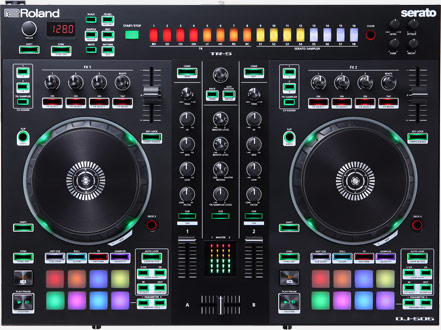
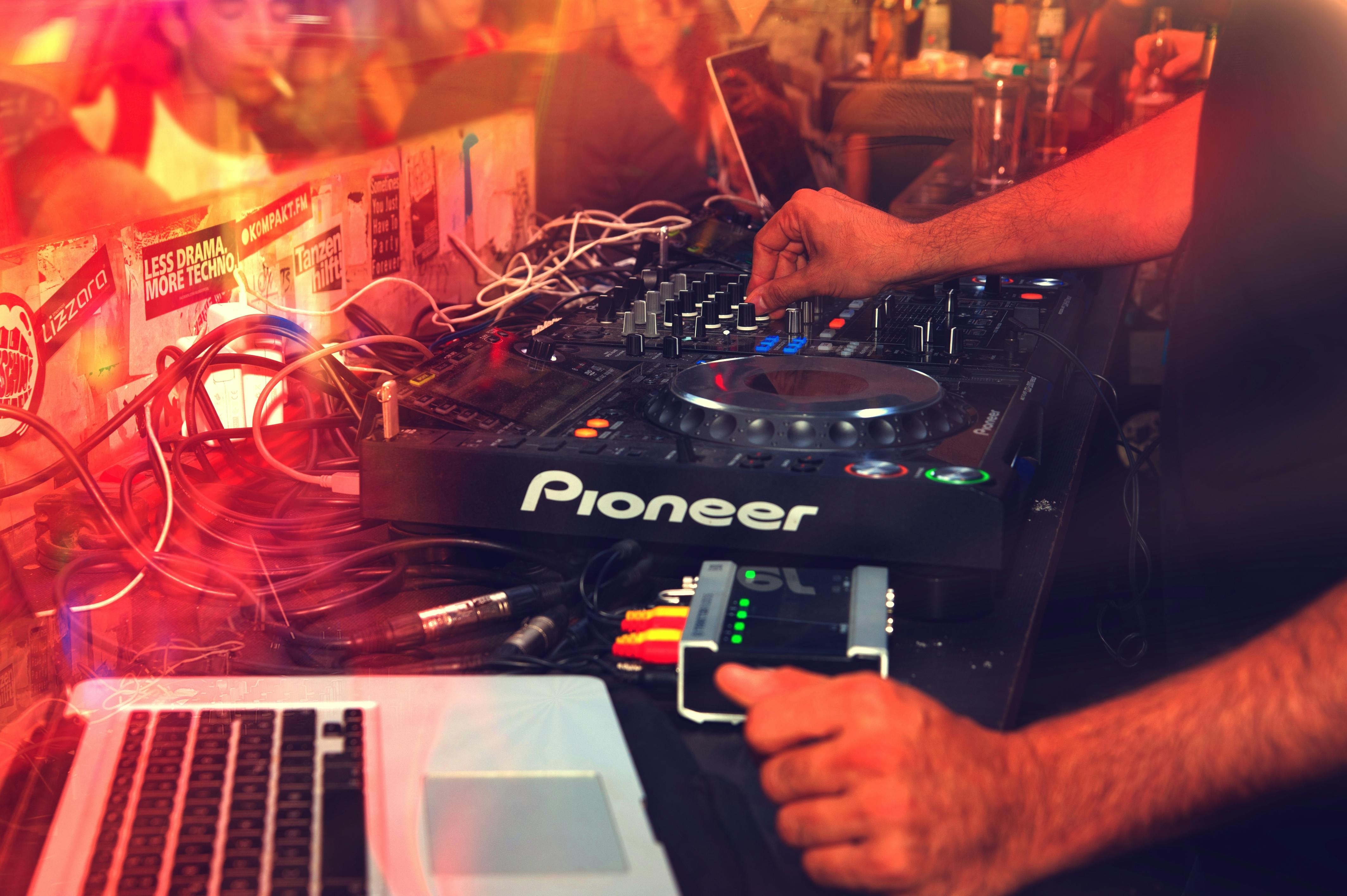
Their are many different companies like Pioneer or Tracktor producing controllers these days. Big and small all of them include the same basic features:

  • Volume / equalizer knobs
  • Play / cue buttons
  • Turn tables / jog wheel
  • Crossfader
  • Tempo sliders
  • FX and filter knobs
  • Sampler and loop pads
Learn the layout as it stays mostly the same

Most can also easily be connected with laptops using USB ports, and come with accompanying software. The scheme usually stays the same with the equalizer and crossfader functions staying in the middle and the turn tables to the left and right with their respective play/cue buttons and tempo sliders.

Moving images convey what your reading better. So check out this video by crossfader

What do they do?

Alright now that we know what most controllers include it’s time to learn what they do. Remember these are the basic functions, and all buttons, and knobs can be used for various techniques.

  • Equalizer / volume controls : These come in the form of knobs and sliders. They control the highs, mids, lows, and the master volume of the channels being used.
  • Play / cue buttons : Stops and plays the tracks being used, while allowing for cueing of certain parts of the track.
  • Turn Table / Jog wheel : Allows for scratching and manual rewinds of the tracks being played, and the sides of the jog wheel slow or speed up the track temporarily
  • Crossfader : Brings you from channel A to channel B for transitions of 2 separate tracks
  • Tempo Sliders : Increase the tempo or BPM of the track, with the accompanying number being displayed on laptop or controller depending on the type.
  • FX and filter knobs : Allow for effects to be placed on individual tracks, and filters which come in high pass or low pass
  • Sampler and loop pads : Allow for sample voice or instrumental loops which are usually saved beforehand to be played on top of your tracks, and the same pads work as loop adjusters for repeating certain part of the track again at 1/2, 1/4, 1/8, and so on.

All have variations

It’s important to remember that with all the variations in controllers, their are many more functions, sliders, knobs included in whatever you decide to DJ with. Knowing these distinctions is up to you in order to ensure you are using your equipment to it’s maximum potential.